
BenchDock Wiki
Guides for every tool
Step-by-step guides for every tool in BenchDock: flashing and restoring, panic logs, backups, diagnostics and the workshop tools.
Getting started
Connect an iPhone or iPad, check the drivers and enter your licence.
-
 Getting started
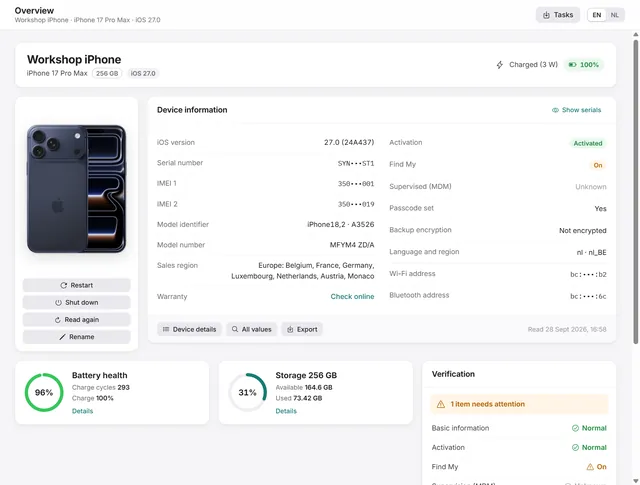
Getting started with BenchDock
What you need, how to connect a phone and trust the computer, and how the window is laid out. Free -
 Getting started
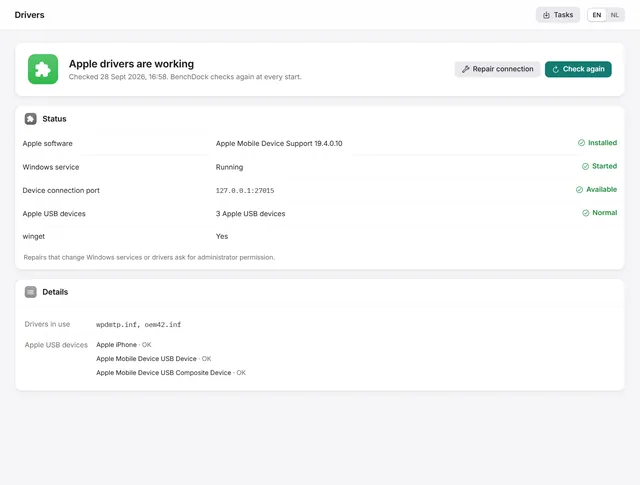
iPhone not detected on Windows? Check and repair the Apple drivers
What to do when Windows does not see the iPhone: BenchDock checks the Apple drivers and the connection service and repairs them. Free -
 Getting started
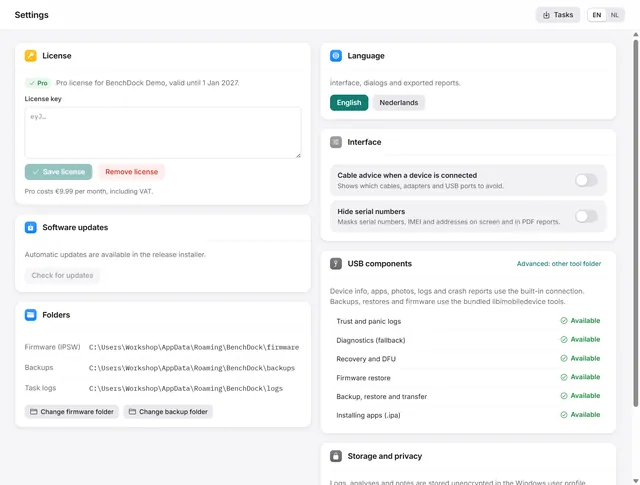
BenchDock settings and the Pro licence
Enter or remove the Pro licence, move the firmware and backup folders, switch language and hide serial numbers in reports. Free
Flash and firmware
Update or restore iOS, recovery and DFU mode, firmware downloads and failed restores. Free.
-
 Flash and firmware
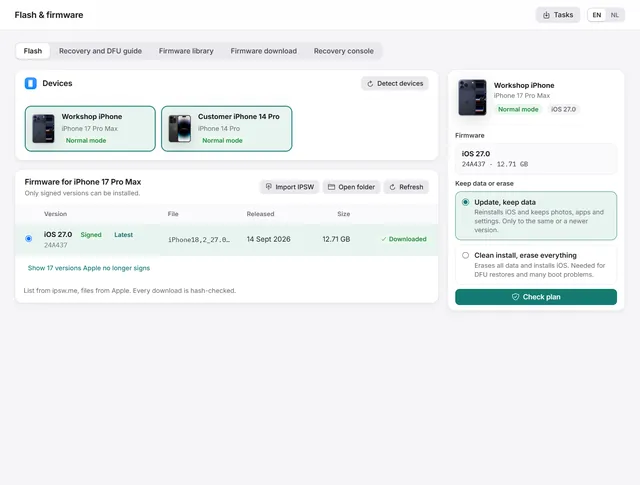
How to restore or update an iPhone on Windows
Update iOS with the data kept, or do a clean install with signed firmware from Apple. Works from normal, recovery and DFU mode. Free -
 Flash and firmware
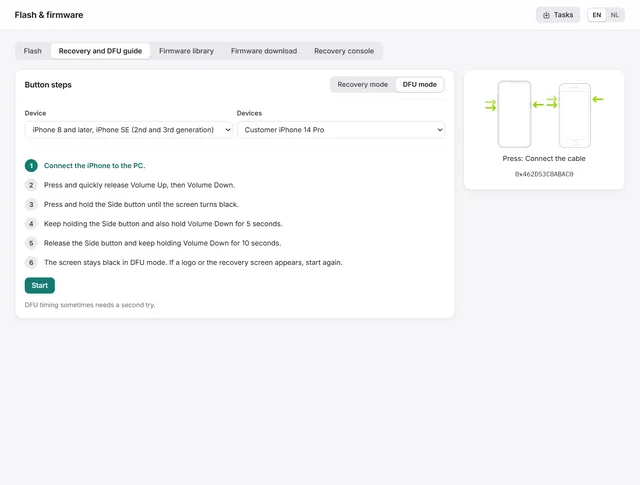
How to put an iPhone or iPad in recovery mode or DFU mode
The button steps for every iPhone and iPad, and the guide in BenchDock that times the steps and checks which mode the device reaches. Free -
 Flash and firmware
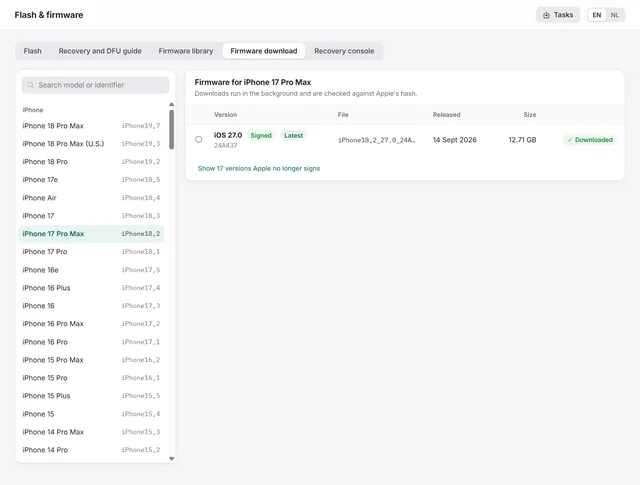
How to download iPhone and iPad firmware (IPSW) on Windows
Signed IPSW files for any iPhone or iPad, downloaded from Apple and hash-checked, plus the library of firmware on your PC. Free -
 Flash and firmware
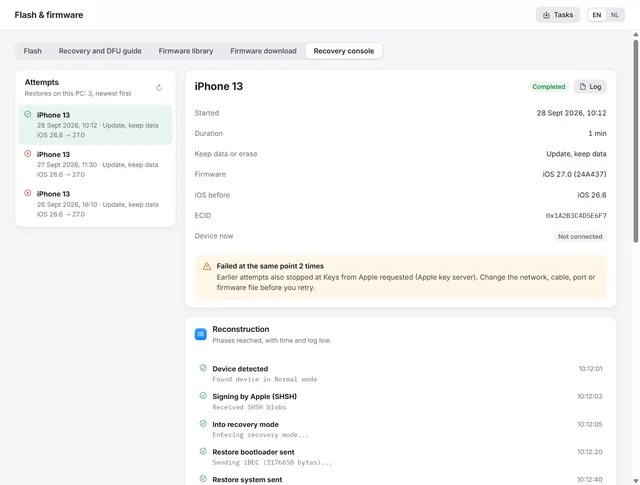
iPhone restore failed? Restore error codes and the recovery console
Where a failed restore stopped, what the error code means and what to change before the next attempt. Free
Panic analysis
Read panic logs, keep repair cases and look up codes in the knowledge base.
-
 Panic analysis
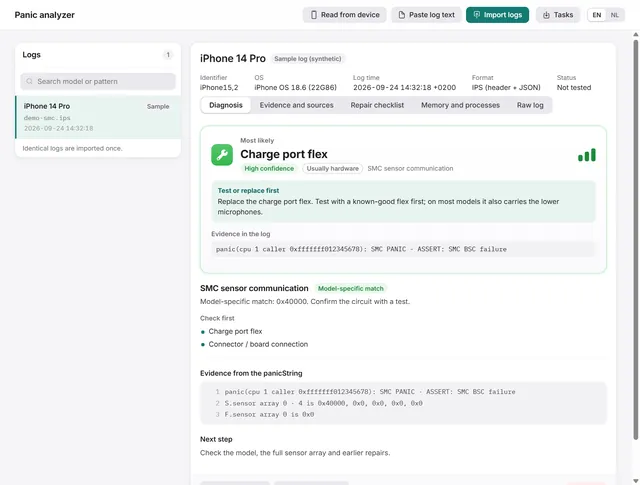
How to read an iPhone panic log and find the faulty part
Import, paste or read a panic log over USB. BenchDock names the part to test first, with the confidence and the evidence line. Free -
Panic analysis
How to get panic logs from an iPhone
Read panic logs over USB, find them under Analytics Data on the phone, or paste the text a customer sends you. Free -
 Panic analysis
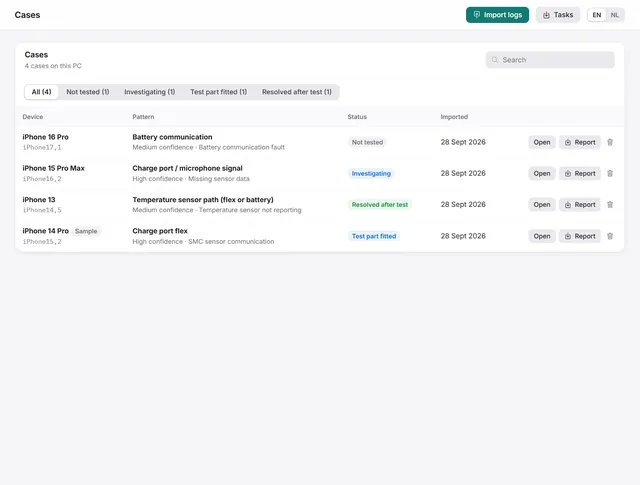
Cases: keep every panic log with notes, a checklist and the outcome
Each log becomes a case with a repair checklist, bench notes and a repair status. Search, filter and export them. Free -
 Panic analysis
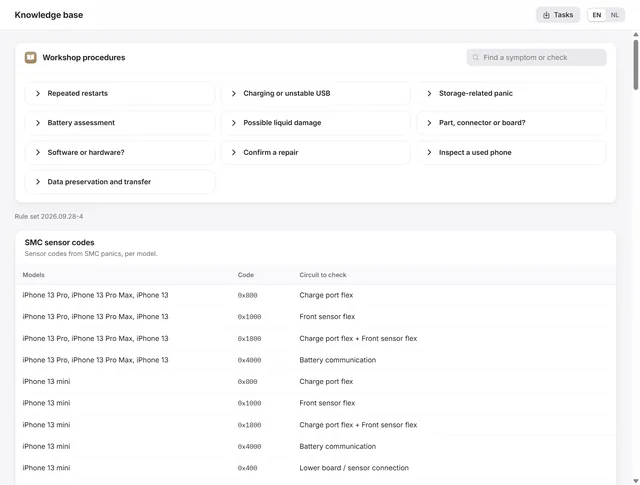
The knowledge base: SMC codes, panic signatures and restore errors
SMC sensor codes per model, panic signatures with the part to test first, restore error codes and ten workshop procedures. Free -
 Panic analysis
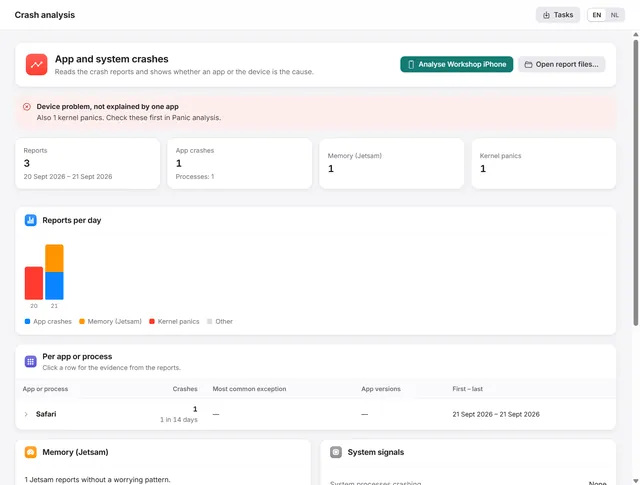
Crash analysis: is it the app or the iPhone?
Groups app crashes, memory stops and heat stops per app, and tells you whether an app or the device is the cause. Pro
Device
Device details, purchase checks, screen mirroring, apps, photos, files, storage and ringtones.
-
Device
Device overview: serial number, IMEI, battery health and storage of an iPhone
Identity, activation, Find My, battery health, charge cycles and storage at a glance, with every value the phone returns. Free and Pro -
 Device
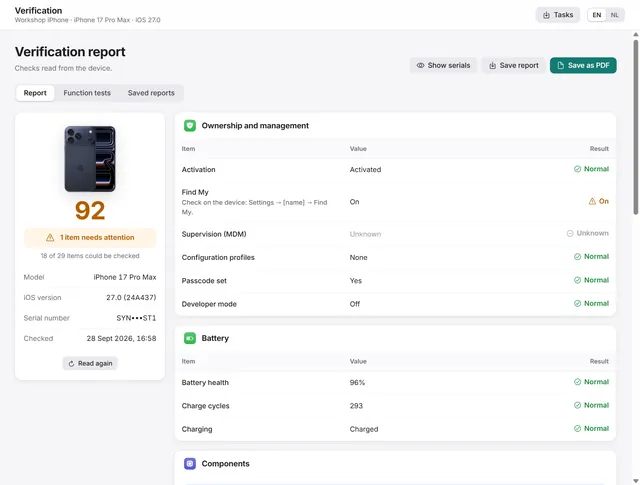
How to check a used iPhone before you buy it
Activation, Find My, management, battery health and part records in one report, plus function tests, saved as PDF. Pro -
 Device
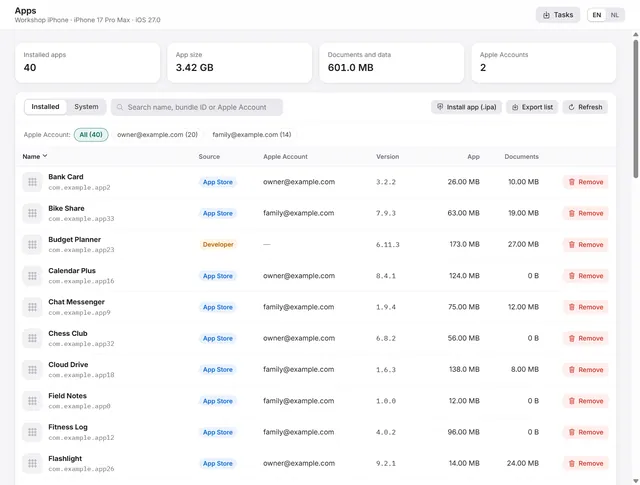
Manage iPhone apps from a PC: list, install an .ipa, remove, export
Every app with icon, version, size and the Apple Account that installed it. Install an .ipa, remove apps, export the list. Pro -
 Device
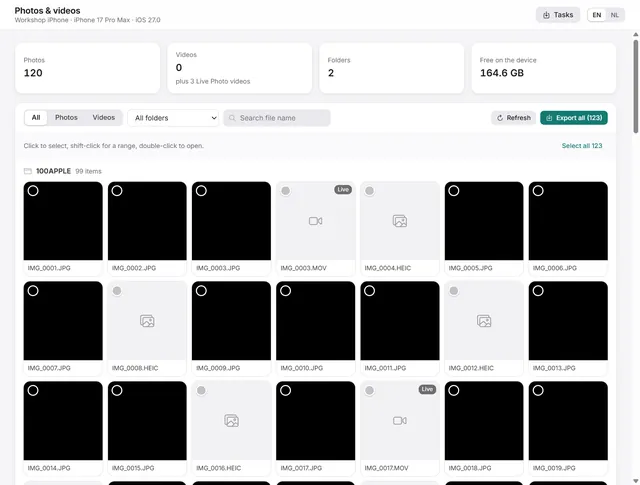
How to copy photos and videos from an iPhone to a Windows PC
Browse the camera roll, view photos, play videos and export the originals to a folder on the PC. Pro -
 Device
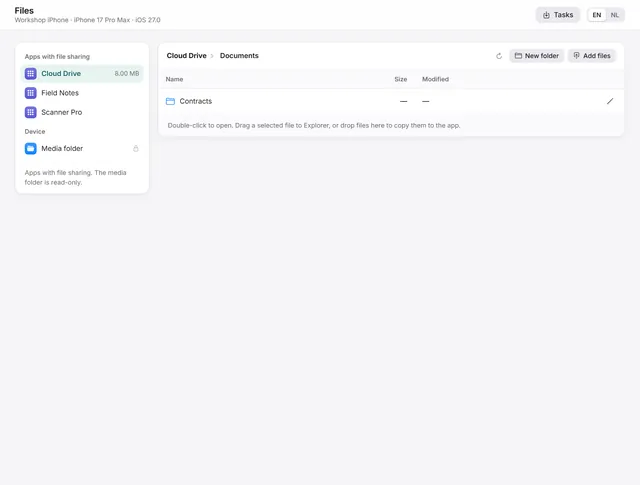
Transfer files between iPhone apps and Windows
Documents of apps with file sharing: open, export, drag to Explorer, add files, create folders, rename and delete. Pro -
 Device
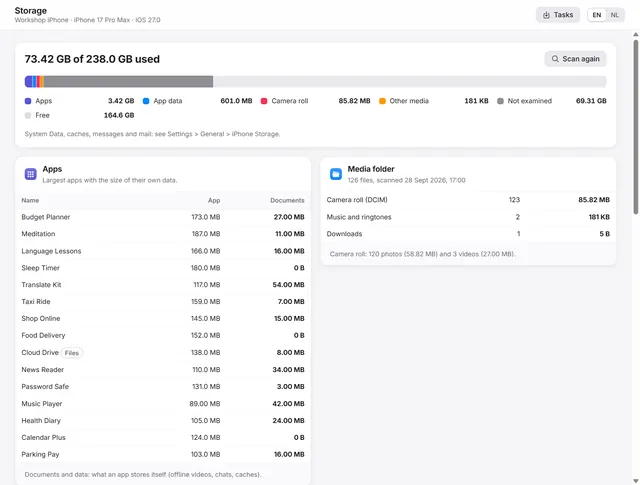
iPhone storage full? Find out what uses the space
Where the space goes: apps and their data, the camera roll, the largest files, the areas in a backup and duplicate exports on the PC. Pro -
 Device
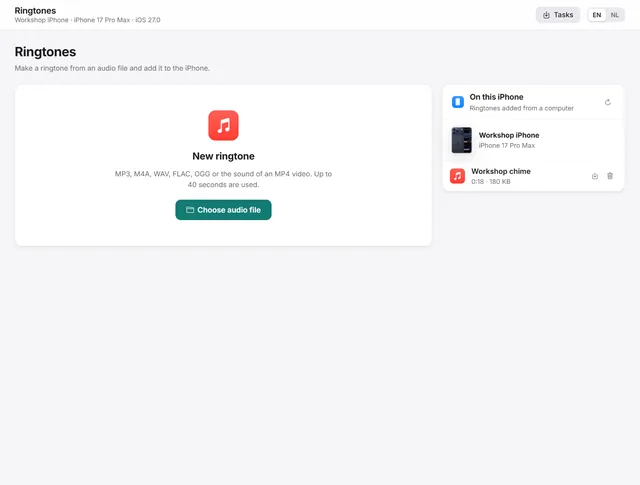
How to make a ringtone and put it on an iPhone without iTunes
Choose a fragment of any audio file on the waveform, fade it in and out, and add it to the iPhone as a ringtone. Pro -
 Device
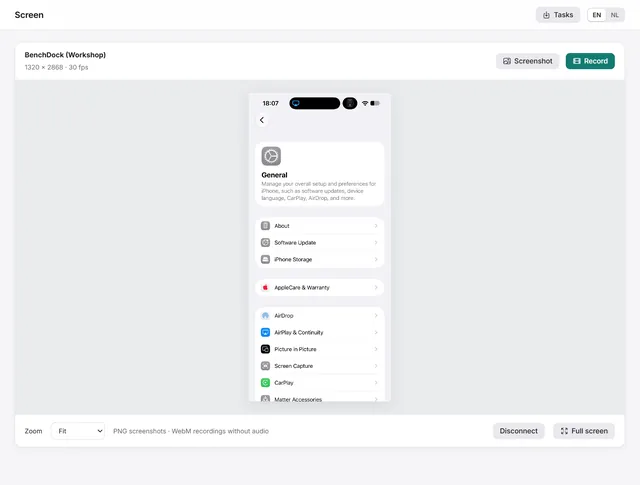
How to mirror an iPhone or iPad screen on Windows
Connect with a screen code, view the screen live on your PC, save screenshots and record video. Includes connection troubleshooting. Pro
Backups and data
Make backups, read them, move data to another phone and rescue files from a failing phone.
-
 Backups and data
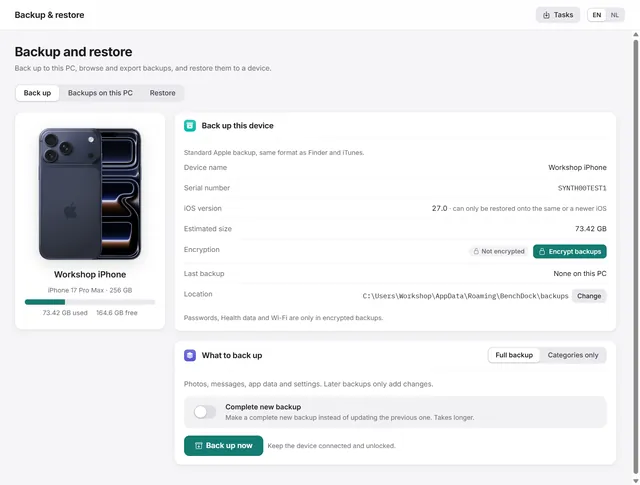
How to back up an iPhone on Windows, encrypted or not
Apple-format backups with or without encryption, every backup on the PC in one list, and restoring to a device. Pro -
 Backups and data
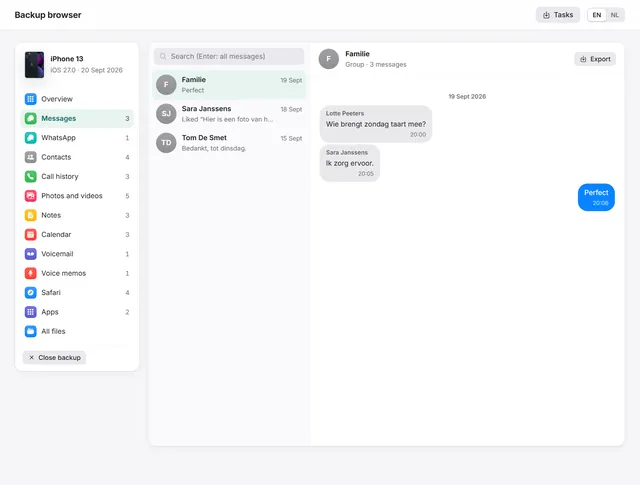
How to view WhatsApp, messages and photos in an iPhone backup on a PC
Open any iPhone backup, also encrypted, and read messages, WhatsApp, photos, contacts and notes. Export chats as PDF with pictures. Pro -
 Backups and data
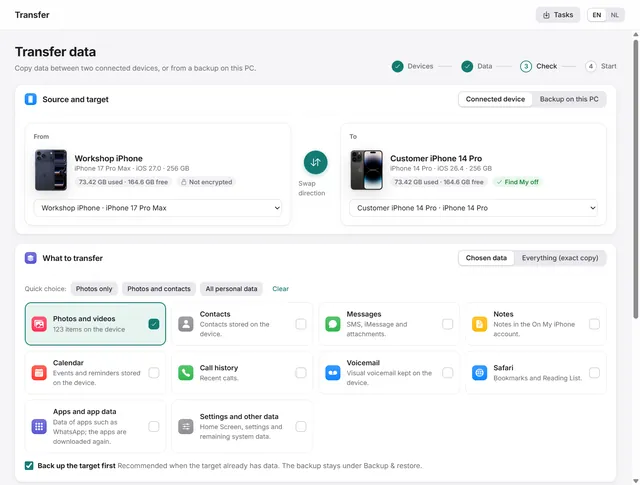
How to transfer data from one iPhone to another
From one iPhone or iPad to another, or from a backup: everything, or only chosen categories such as photos and contacts. Pro -
 Backups and data
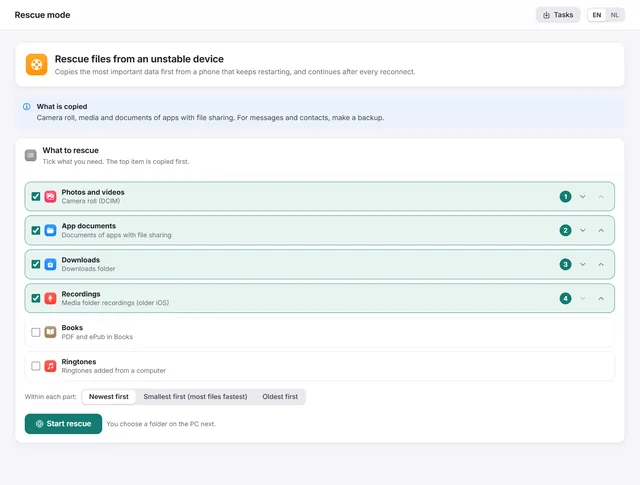
How to get photos off an iPhone that keeps restarting
Copies the most important files first from a phone that keeps restarting, and continues by itself after every reconnect. Pro
Workshop tools
Face ID, parts, charging, logs and labels for the repair bench.
-
 Workshop tools
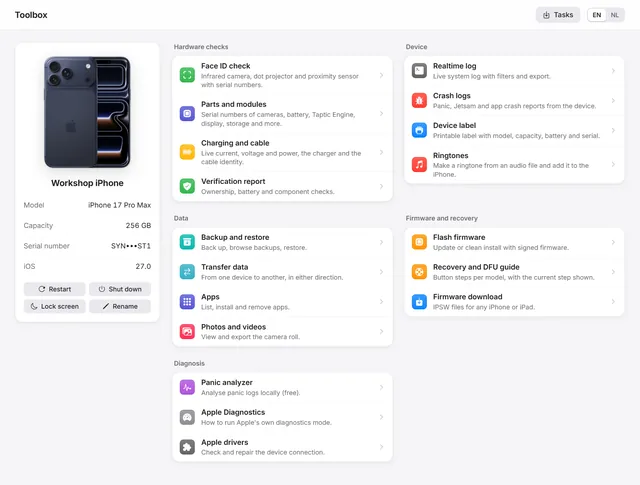
The Toolbox: parts, realtime log, crash logs and device label
Parts and serial numbers, the realtime log, crash logs, a printable device label, Apple Diagnostics and restart, shut down and rename. Free and Pro -
 Workshop tools
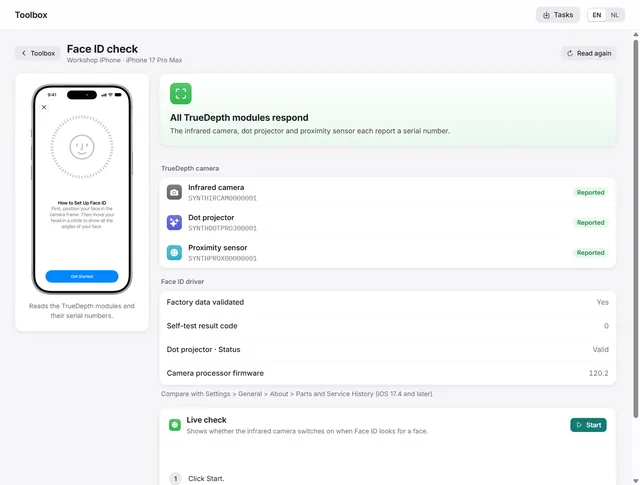
How to check Face ID after a screen repair
Which TrueDepth module still responds, with the serial numbers the modules report, and a live test of the infrared camera. Pro -
 Workshop tools
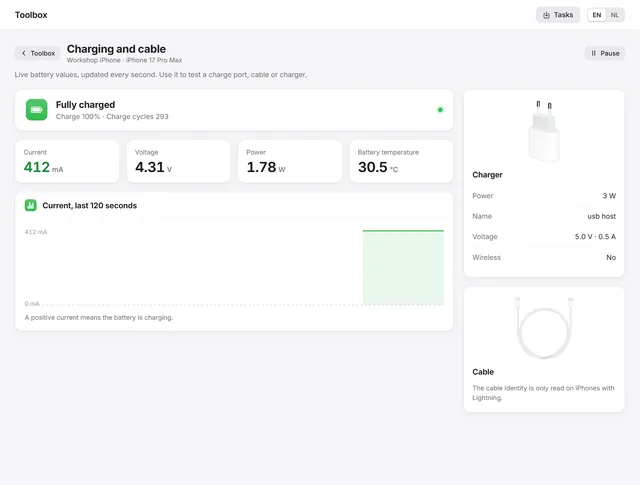
How to test an iPhone charging port and cable
Live current, voltage and power every second, the power source and the cable the phone reports, and the codes for not or slow charging. Pro
No guide matches your search.