
Panic analysisFree
The knowledge base: SMC codes, panic signatures and restore errors
The knowledge base is the reference behind the panic analysis and the recovery console. You can read it on its own: look up a sensor code, check which part a panic points to, or follow a workshop procedure step by step. Click Knowledge base in the sidebar. It is part of the free plan.
Search
The search field at the top right searches the procedures, the panic signatures and the restore error codes at once. Type a symptom such as charging, a part such as battery, or an error number such as 4013.
Workshop procedures
Ten procedures for common situations at the bench. Click one to open its steps:
| Procedure | Use it for |
|---|---|
| Repeated restarts | A phone that restarts by itself, with or without a panic log. |
| Charging or unstable USB | A phone that charges slowly, stops charging or disconnects from the PC. |
| Storage-related panic | Panics that point to the storage (NAND) or its controller. |
| Battery assessment | Deciding whether the battery is the cause. |
| Possible liquid damage | What to check after water or moisture. |
| Part, connector or board? | Narrowing a fault down to a part, its connector or the logic board. |
| Software or hardware? | Separating a software problem from a hardware fault. |
| Confirm a repair | Testing after the repair and checking for new panic logs. |
| Inspect a used phone | The checks to do before buying or selling a phone. |
| Data preservation and transfer | Keeping the customer's data safe during a restore or a transfer to another phone. |
SMC sensor codes
A table of the sensor codes that appear in SMC panics, for each model, with the circuit to check. The codes come from three published repair tables and cover the iPhone 13 series to the iPhone 16 Pro. Codes that the tables contradict are left out on purpose. The panic analysis uses this table for its verdict.
Panic signatures and the part to test first
The 24 families of panics BenchDock recognises, such as Face ID, storage, baseband, display, charging IC and battery. For each family the table shows:
- the part to test first, with the alternatives,
- the confidence (high, medium or low),
- whether it is usually hardware, hardware or software, or often software.
Restore and update error codes
73 error codes from Finder, iTunes, Apple Devices and 3uTools, grouped the way Apple groups them: no connection to Apple's servers, security software, a disconnect during the restore, USB connection problems, possible hardware problems, a locked device and more. For each code the table shows the meaning, whether hardware is likely and whether the customer's data is at risk. Hints from repair practice are marked Workshop experience. More about the codes: Restore error codes and the recovery console.
Other fault families
The last part lists the general rules, such as memory, storage, the always-on processor, I²C, heat and watchdog timeouts, each with the parts to check.
The rule set
The line under the procedures shows the version of the rule set, for example Rule set 2026.09.28-4. The same version appears in every analysis and every exported report, so you can see later which rules produced a verdict.
Questions
Where does the information come from?
The SMC codes and rules come from published repair sources: iFixit, iPad Rehab and Repair Wiki. The restore error groups come from Apple's support articles. Each finding in a case shows its sources under Evidence and sources.
Why is a code missing from the SMC table?
Either no published table lists it for that model, or the tables contradict each other. BenchDock leaves those codes out rather than guess.
Related guides
-
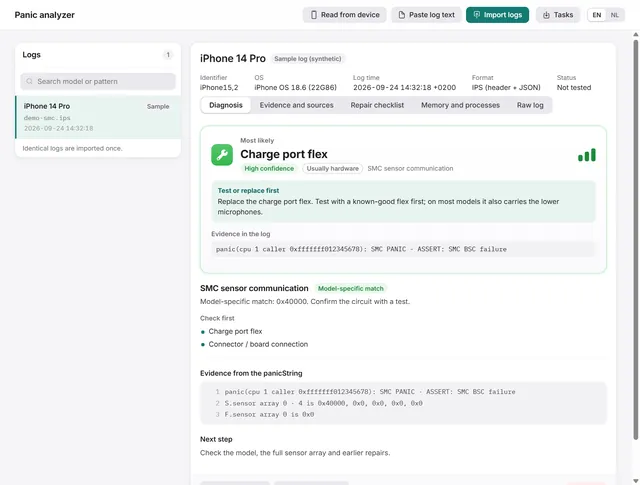 Panic analysis
How to read an iPhone panic log and find the faulty part
Import, paste or read a panic log over USB. BenchDock names the part to test first, with the confidence and the evidence line. Free -
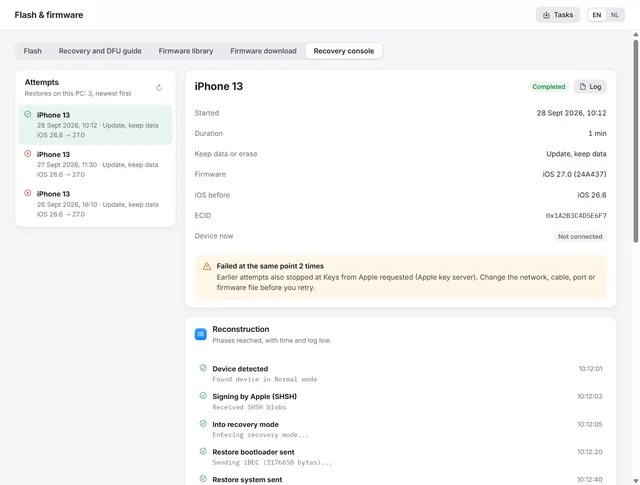 Flash and firmware
iPhone restore failed? Restore error codes and the recovery console
Where a failed restore stopped, what the error code means and what to change before the next attempt. Free -
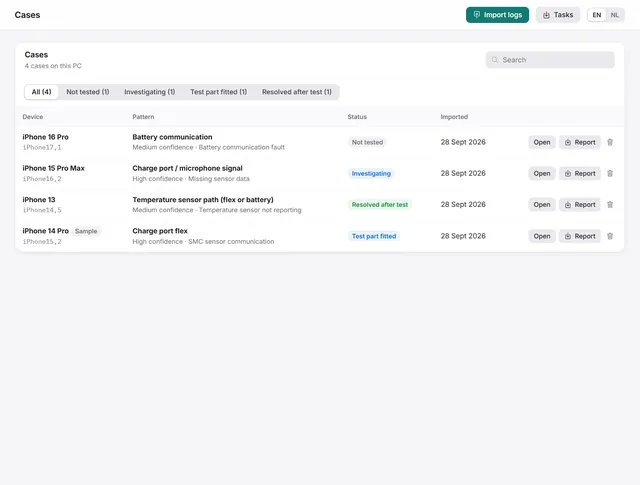 Panic analysis
Cases: keep every panic log with notes, a checklist and the outcome
Each log becomes a case with a repair checklist, bench notes and a repair status. Search, filter and export them. Free -
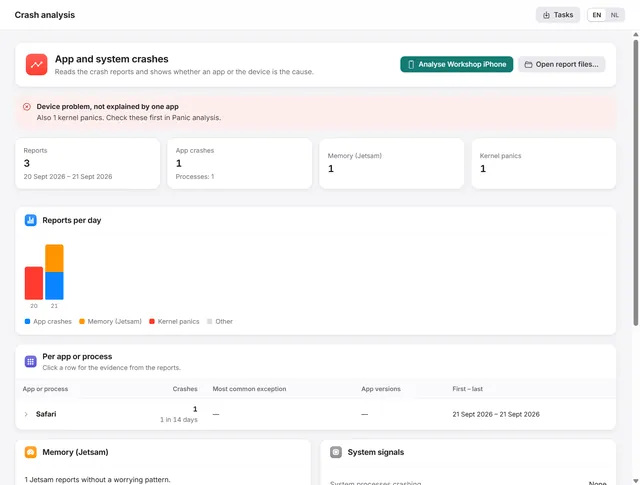 Panic analysis
Crash analysis: is it the app or the iPhone?
Groups app crashes, memory stops and heat stops per app, and tells you whether an app or the device is the cause. Pro