
Panic analysisFree
Cases: keep every panic log with notes, a checklist and the outcome
Every panic log you import, paste or read from a phone becomes a case. A case keeps the log, the analysis, a checklist for the repair, your bench notes and the outcome. Weeks later you can still see what was tested and what solved it. Cases are free.
The case list
Click Cases in the sidebar. The list shows every case on this PC:
| Column | Content |
|---|---|
| Device | The model and its identifier. |
| Pattern | The part from the verdict, the confidence and the recognised pattern. |
| Status | The repair status you set. |
| Imported | The date the log came in. |
- Search by model, identifier or pattern with the search field at the top right.
- Filter by repair status with the buttons above the list, for example only the cases that are Investigating.
- Open shows the case in the panic analyzer.
- Report saves the text report of the case.
- The bin icon deletes the case after you confirm.
Work through a repair
- Open the case and click the tab Repair checklist, or Open checklist at the bottom of the diagnosis.
- Tick the steps as you do them. The checklist is built from the findings in the log, and always ends with Test after the repair and check for new panic logs.
- Set the Repair status.
- Write what you did in Bench notes, for example connector checked, test flex fitted, 30 minutes under load.
- Click Save notes. BenchDock also saves when you switch to another case or tab.
Repair status
| Status | Use it when |
|---|---|
| Not tested | The log came in; nothing has been done yet. |
| Investigating | You are testing or measuring. |
| Test part fitted | A known-good part is fitted to confirm the diagnosis. |
| Resolved after test | The phone runs without new panics after the repair. |
| Not resolved | The part did not solve it; look at the alternatives in the verdict. |
Repeated patterns
When several logs of the same phone share a signature, the verdict shows how many, for example Same signature in 3 logs of this device. A pattern that keeps returning after a repair means the cause is elsewhere: check the parts under If that does not solve it.
Where cases are stored
Cases are stored on this PC in %APPDATA%\BenchDock\data, in the Windows user profile, without encryption. The raw log contains device identifiers, so delete cases you no longer need. Exported reports leave out the raw log, the file name, your notes and the device ID.
Questions
Can I use cases without a connected phone?
Yes. Import or paste a log that a customer sent; the case works the same.
Do the notes go anywhere?
No. Notes and statuses stay on this PC.
Can I move cases to another PC?
Not from within BenchDock yet. The report of each case can be exported as text.
Related guides
-
 Panic analysis
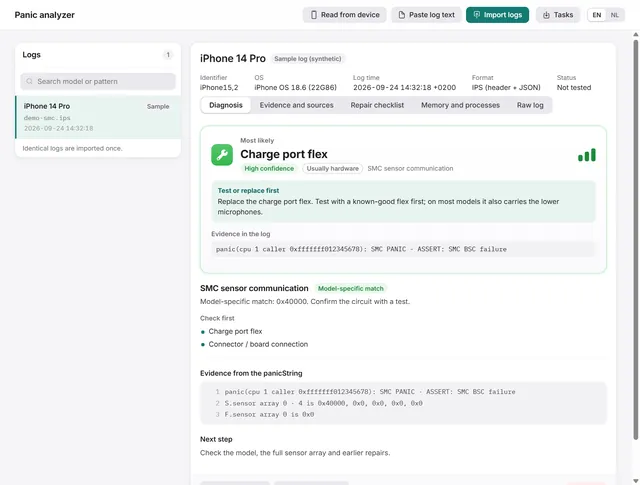
How to read an iPhone panic log and find the faulty part
Import, paste or read a panic log over USB. BenchDock names the part to test first, with the confidence and the evidence line. Free -
Panic analysis
How to get panic logs from an iPhone
Read panic logs over USB, find them under Analytics Data on the phone, or paste the text a customer sends you. Free -
 Panic analysis
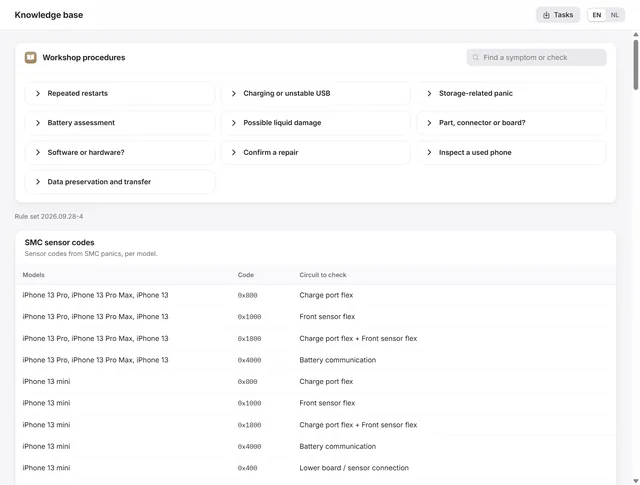
The knowledge base: SMC codes, panic signatures and restore errors
SMC sensor codes per model, panic signatures with the part to test first, restore error codes and ten workshop procedures. Free -
 Getting started
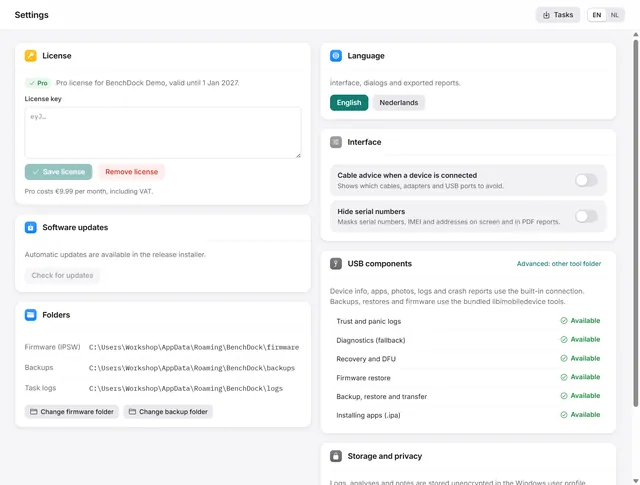
BenchDock settings and the Pro licence
Enter or remove the Pro licence, move the firmware and backup folders, switch language and hide serial numbers in reports. Free