
Panic analysisFree
How to get panic logs from an iPhone
A panic log is the report an iPhone writes when it restarts after a serious fault. It stays on the phone until it is overwritten or the phone is erased. Before you erase or restore a phone that restarts by itself, get its panic logs first: they are the best clue to the faulty part.
Over USB with BenchDock
The quickest way for a phone on your bench. It is free and leaves the logs on the phone.
- Connect the iPhone, unlock it and tap Trust if it asks. Wait until it is ready.
- Click Panic analyzer in the sidebar.
- Click Read from device at the top right.
BenchDock copies every panic log from the phone and analyses them straight away. Each log becomes a case in the list on the left. Logs that are already in BenchDock are skipped. Nothing is deleted from the phone.
The phone has to start and stay on long enough to connect. A phone that restarts every few minutes usually gives you enough time; connect it right after it starts.
On the iPhone itself
The customer can also find the logs on the phone and send them to you:
- Open Settings on the iPhone.
- Tap Privacy & Security, then Analytics & Improvements, then Analytics Data.
- Look for files whose name starts with
panic-full, followed by the date and time of the panic. Some iOS versions also writepanic-basefiles. - Tap a file, then tap the share button and send it by AirDrop, email or a messaging app.
On older iOS versions the path starts with Privacy instead of Privacy & Security.
In BenchDock, use Import logs for the file, or Paste log text when the customer pasted the content into a message. Paste the complete log, including the first lines with the device model.
A log from a photo or a forum post
Logs that were copied from a photo or a web page are often incomplete. BenchDock still reads them:
- Without a model line, it takes the model from the board name in the log, such as
target/d64/. - Text recognition from a photo often turns a zero into the letter O (
Ox400000) or a slash into a V. BenchDock reads those too.
The more of the log you have, the better. The first lines with the panic text matter most.
Which logs are useful
| File | Useful for |
|---|---|
panic-full-… | The main source: the reason for the restart, with the subsystem and often the sensor or code. |
panic-base-… | The same kind of report on some iOS versions. |
| Other crash reports | App crashes, memory (Jetsam) and heat stops. Not a panic, but helpful for crash analysis. |
Import several logs from the same phone. When the same signature comes back in more logs, the verdict shows how many, and a repeating pattern is more telling than a single log.
Questions
Are the logs still there after a restore?
A clean install erases everything on the phone, including the panic logs. Read them before you restore.
The phone does not stay on long enough to connect
Get the logs from Analytics Data on the phone during the minutes it does run, or connect it the moment the Apple logo disappears. If the phone does not start at all, it cannot give you its logs; the restore guide and the recovery console are the next steps.
Can I read panic logs from an iPad?
Yes. Connect the iPad the same way and click Read from device.
Related guides
-
 Panic analysis
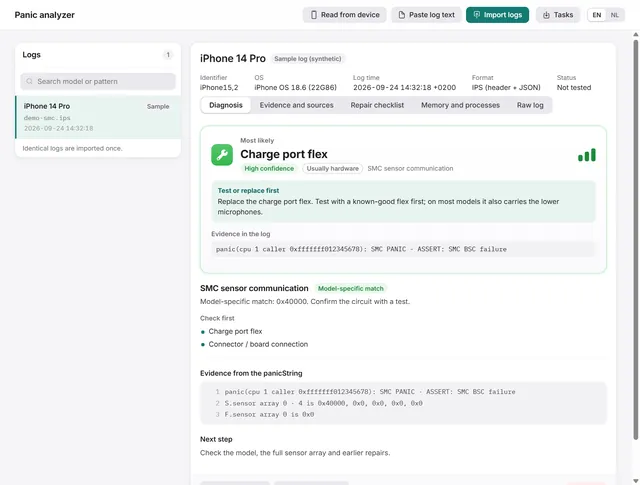
How to read an iPhone panic log and find the faulty part
Import, paste or read a panic log over USB. BenchDock names the part to test first, with the confidence and the evidence line. Free -
 Panic analysis
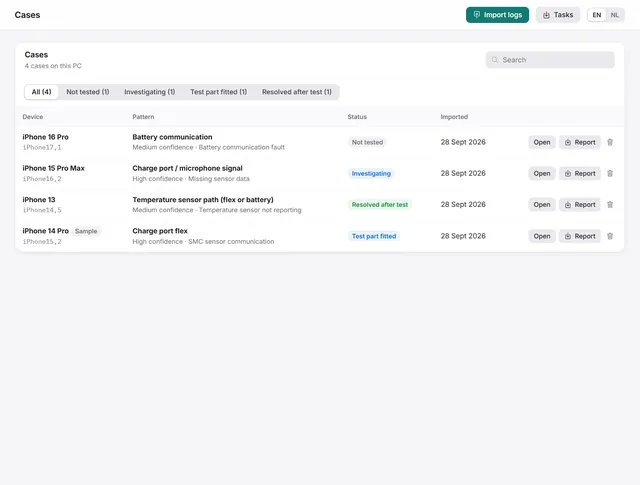
Cases: keep every panic log with notes, a checklist and the outcome
Each log becomes a case with a repair checklist, bench notes and a repair status. Search, filter and export them. Free -
 Panic analysis
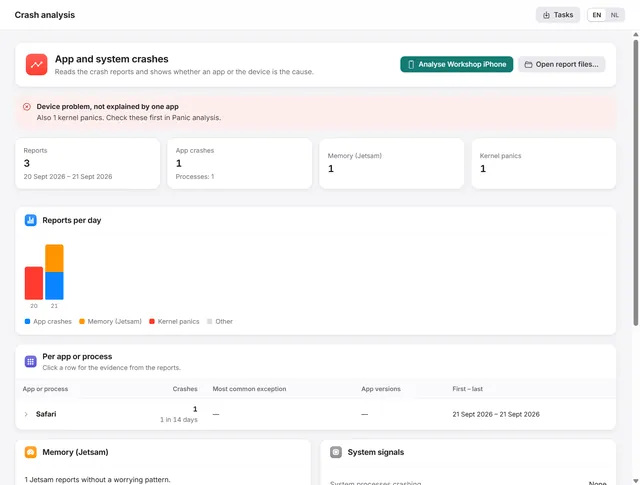
Crash analysis: is it the app or the iPhone?
Groups app crashes, memory stops and heat stops per app, and tells you whether an app or the device is the cause. Pro -
 Getting started
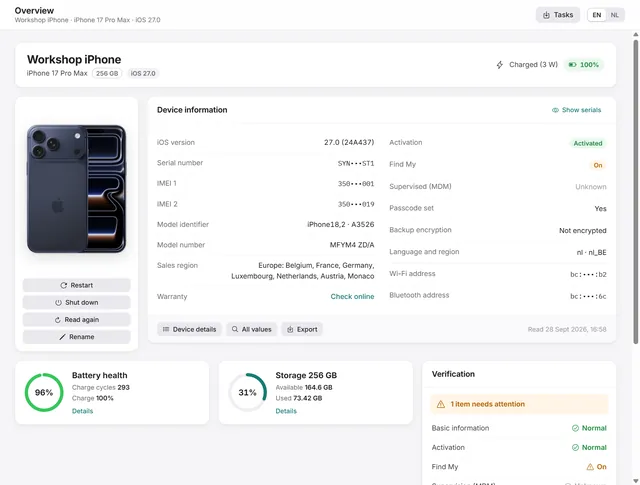
Getting started with BenchDock
What you need, how to connect a phone and trust the computer, and how the window is laid out. Free